


AI Scout User Manual
From first analysis
to a clearer page profile.
This manual explains the practical AI Scout workflow inside Joomla. It is designed for website owners, editors and administrators who want to understand what AI Scout is showing, what each signal means and what to improve next.
AI Scout supports decisions.
It does not replace them.
AI Scout analyses signals and structures that contribute to machine understanding. The results should be interpreted together with the real purpose of the page, factual accuracy, brand language and normal SEO practice.
- Make sure the Joomla page you want to analyse is published or otherwise available to the installed AI Scout edition.
- Know the primary purpose of the page before analysing it.
- Identify the main service, product, organisation or topic the page is intended to represent.
- Do not optimise a page only to increase a score. Improve clarity for both people and machines.
Start inside the Joomla administrator.
Sign in to the Joomla administration area and open Diginalin AI Scout from the Components area. The exact navigation label can vary by installed release, but the AI Scout Dashboard is the starting point for the workflow.
Open Joomla Administrator
Sign in with an account that has permission to access the AI Scout component.
Open Diginalin AI Scout
Navigate to the installed AI Scout component and open the main Dashboard.
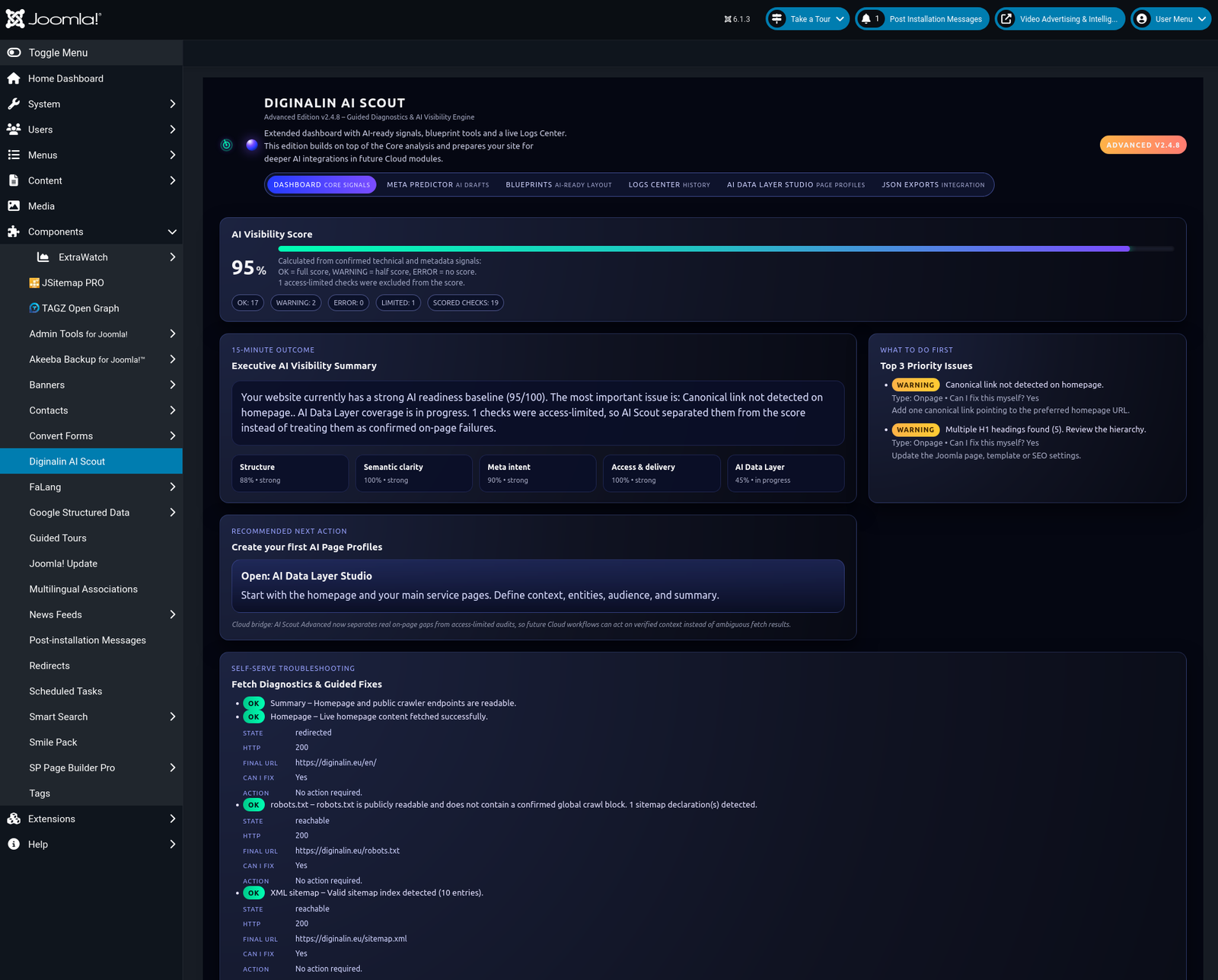
Your starting point
for AI visibility analysis.
The Dashboard gives access to the active AI Scout analysis layer and to additional product areas available in the installed edition.
AI Visibility
The primary analysis area for reviewing page-level visibility and machine-readable signals.
Automatic Analysis
The Dashboard regenerates the current analysis automatically whenever the view is opened or reloaded.
Meta Predictor
An evolving layer related to metadata evaluation and future assisted recommendations.
Blueprints
An evolving structural guidance layer for reusable page and visibility patterns.
Logs Center
An evolving area for analysis records, system events and future monitoring workflows.
JSON API
An evolving structured-data access layer intended for future integrations and automation.
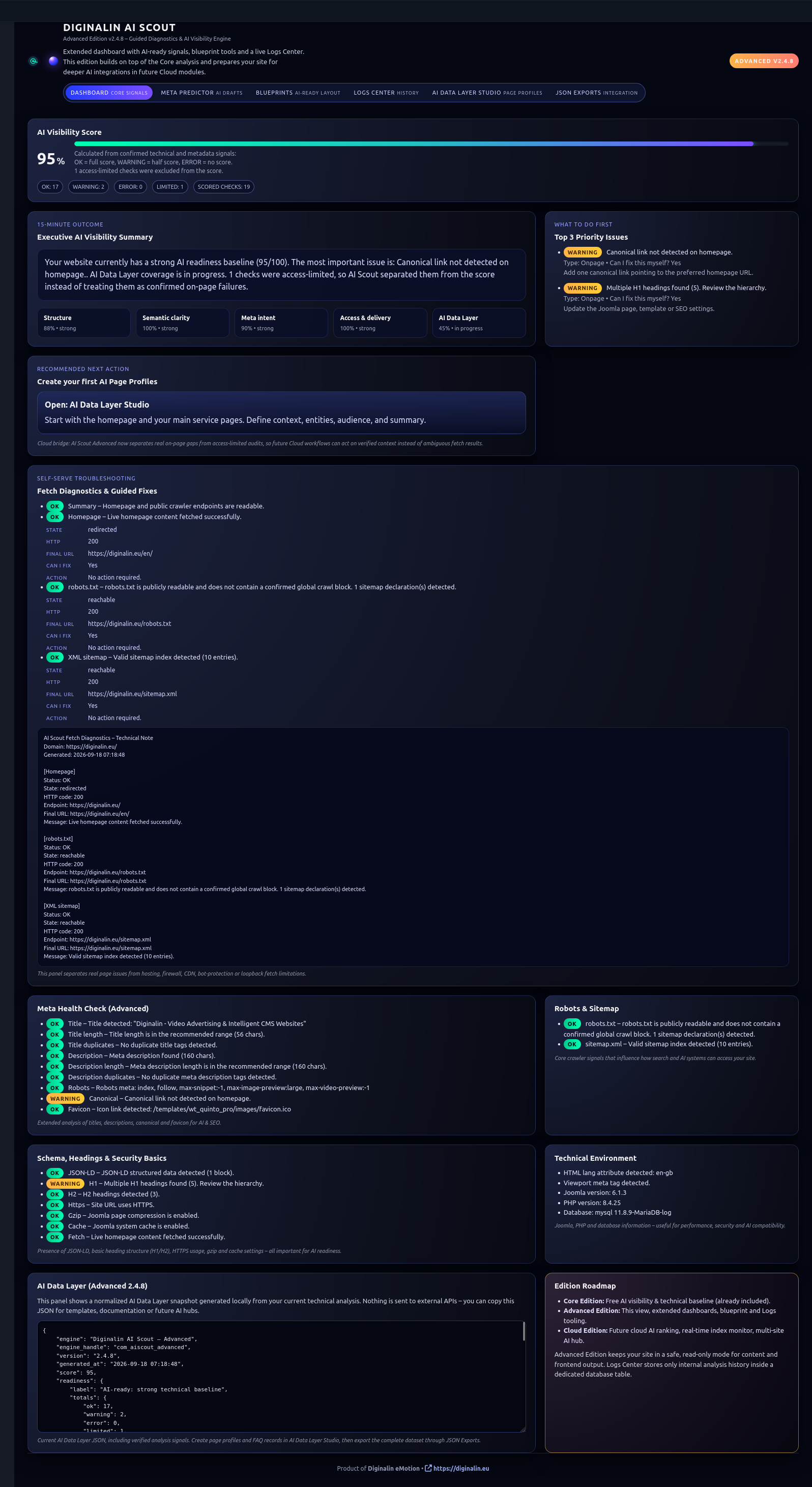
Analyse one page
with one clear purpose.
AI Scout works best when you evaluate a page as a specific content unit. Before running or reviewing an analysis, decide what that page is supposed to communicate.
Good Example
A dedicated service page for Social Video Advertising with one clearly defined subject and supporting information.
Weak Example
A page combining unrelated services, products and topics without a clear primary purpose.
Read the current state
before changing anything.
In AI Scout 2.4.8, the Dashboard automatically analyses the current homepage when the view is loaded. Review this first result before editing the page so you have a clear baseline for comparison.
Open the Dashboard
The current analysis is generated automatically when the Dashboard loads.
Record the weak signals
Identify missing, unclear or conflicting information before making content changes.
Reload after changes
After editing the Joomla page, reopen or reload the Dashboard and compare the updated result with your baseline.
Use the score
as a diagnostic indicator.
The AI Visibility Score summarises evaluated signals into an easier-to-read diagnostic result. It should help you locate weaknesses and track improvement, not become the sole objective of page optimisation.
| Use the score for | Do not use the score for |
|---|---|
| Finding missing or weak signals | Claiming guaranteed Google rankings |
| Comparing the page before and after improvements | Claiming guaranteed AI citations |
| Prioritising what to review next | Replacing editorial or business judgement |

Check whether the machine-readable
identity matches the real page.
The Page Profile should describe the page in a way that is consistent with its actual role on the website. If the profile is vague or misleading, review the content and structural signals that may be creating that interpretation.
- Is the page type clear?
- Is the primary subject obvious?
- Do the visible title and headings support that subject?
- Do the identified entities match the real business context?
- Does the page contain unnecessary competing topics?
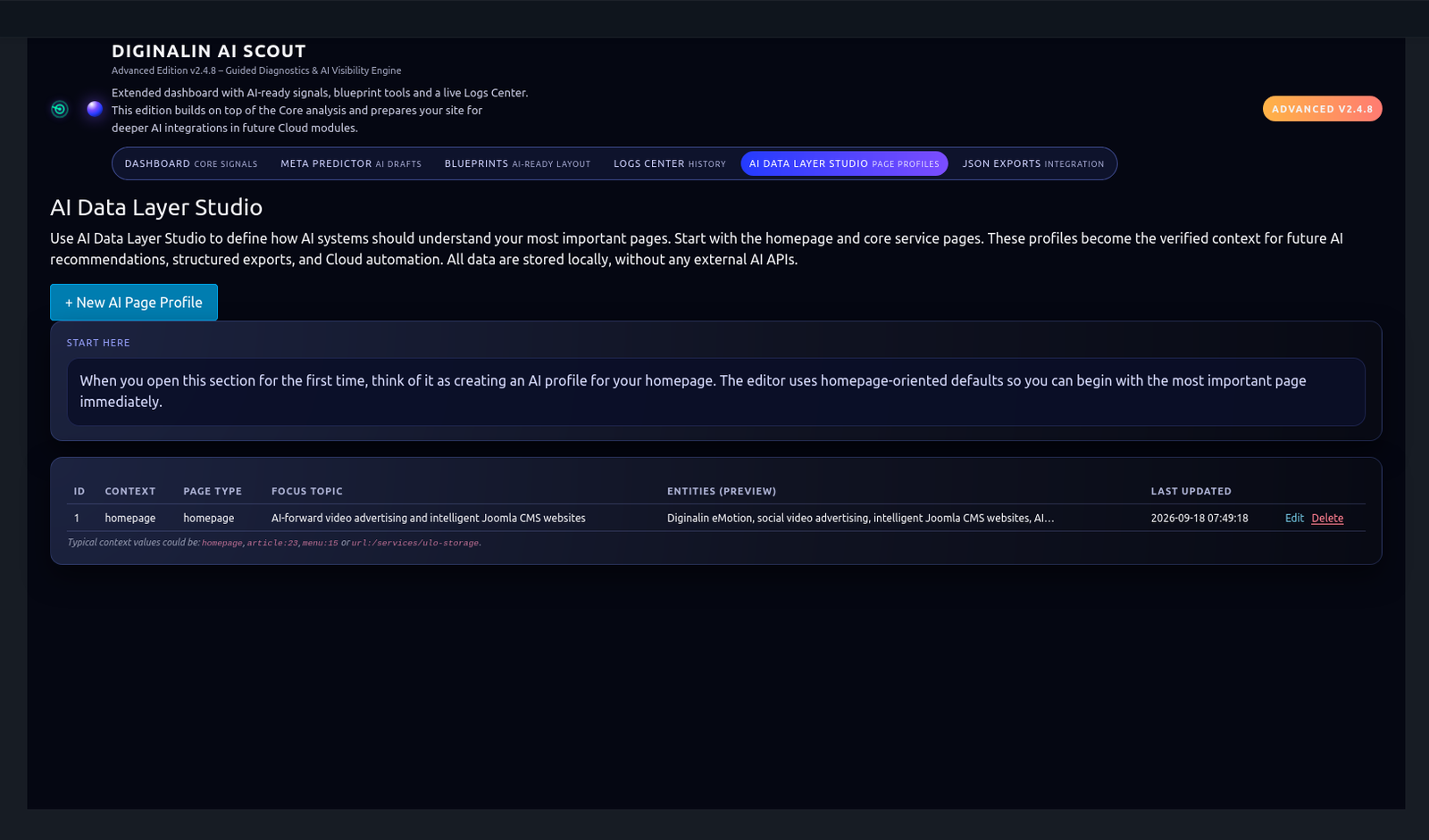
Define what the page
should primarily be about.
The Focus Topic describes the dominant subject rather than isolated keywords. Review them against the page's intended purpose and make sure supporting text reinforces the same semantic direction.
Primary topic
Does the main topic accurately describe the purpose of the page?
Supporting topics
Do secondary topics add useful context, or do they pull the page in unrelated directions?
Content consistency
Do the title, H1, body copy and supporting headings reinforce the same topic?
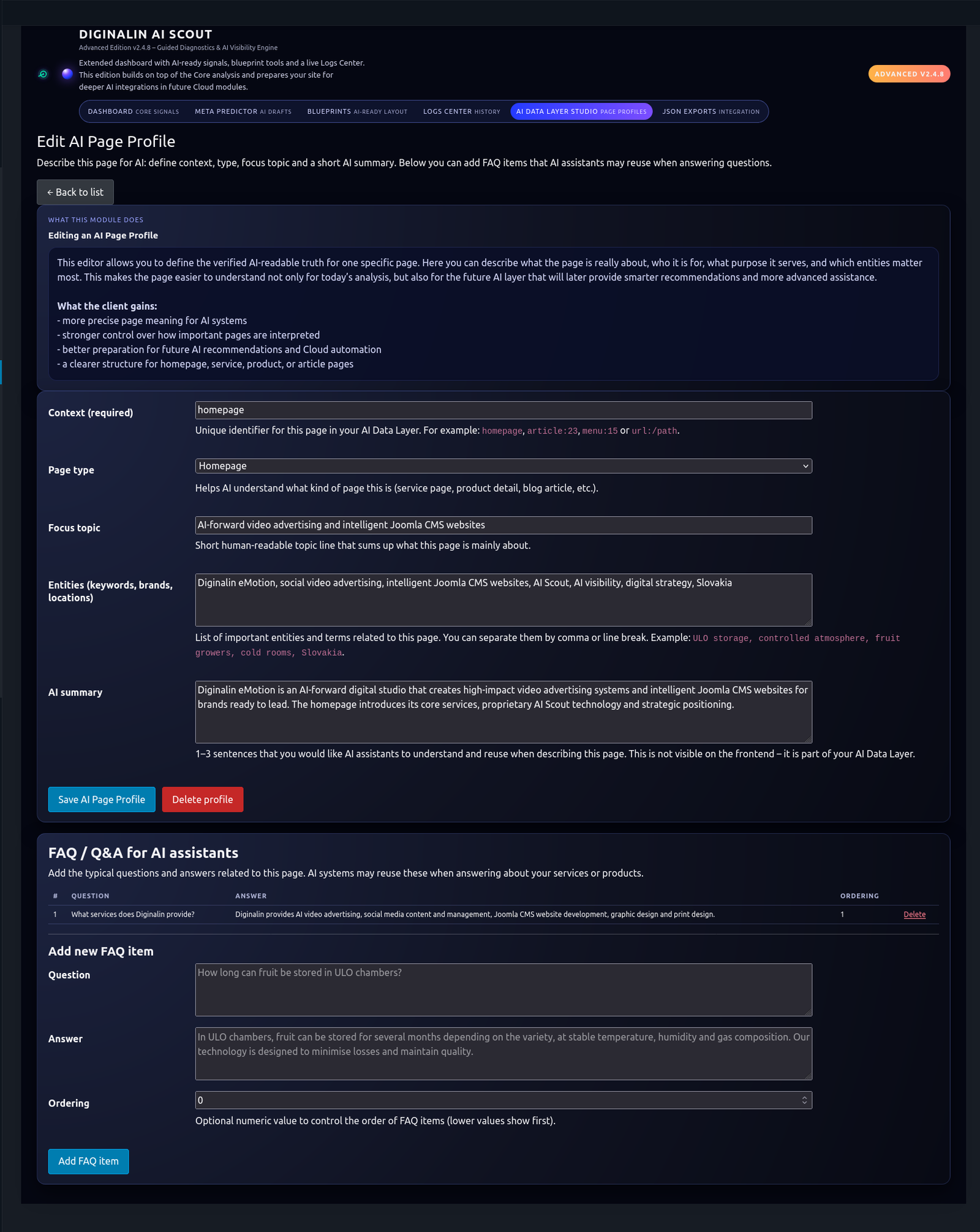
Check which real-world concepts
the page communicates.
Entities help machines understand that a page refers to concrete brands, organisations, products, services, technologies or other identifiable concepts.
Relevant Entity
An entity that materially helps explain what the page represents.
Missing Entity
An important brand, service, product or technology that should be explicit but is not clearly represented.
Weak Entity Context
An entity appears by name but the page does not explain its relationship to the subject.
Irrelevant Entity
A concept that distracts from the page's intended semantic identity and may need to be reduced or clarified.
Review the fundamentals
before advanced optimisation.
AI Scout's core checks help identify whether essential page and site signals are present and usable.
| Signal | What to check |
|---|---|
| Page title | Clear subject, meaningful wording and sensible length. |
| Meta description | A concise summary that matches the actual page. |
| H1 | One clear primary heading representing the page subject. |
| H2 / supporting headings | Logical structure that reinforces the primary subject. |
| HTTPS | The public site should use a secure HTTPS connection. |
| Favicon | A basic site identity signal should be present. |
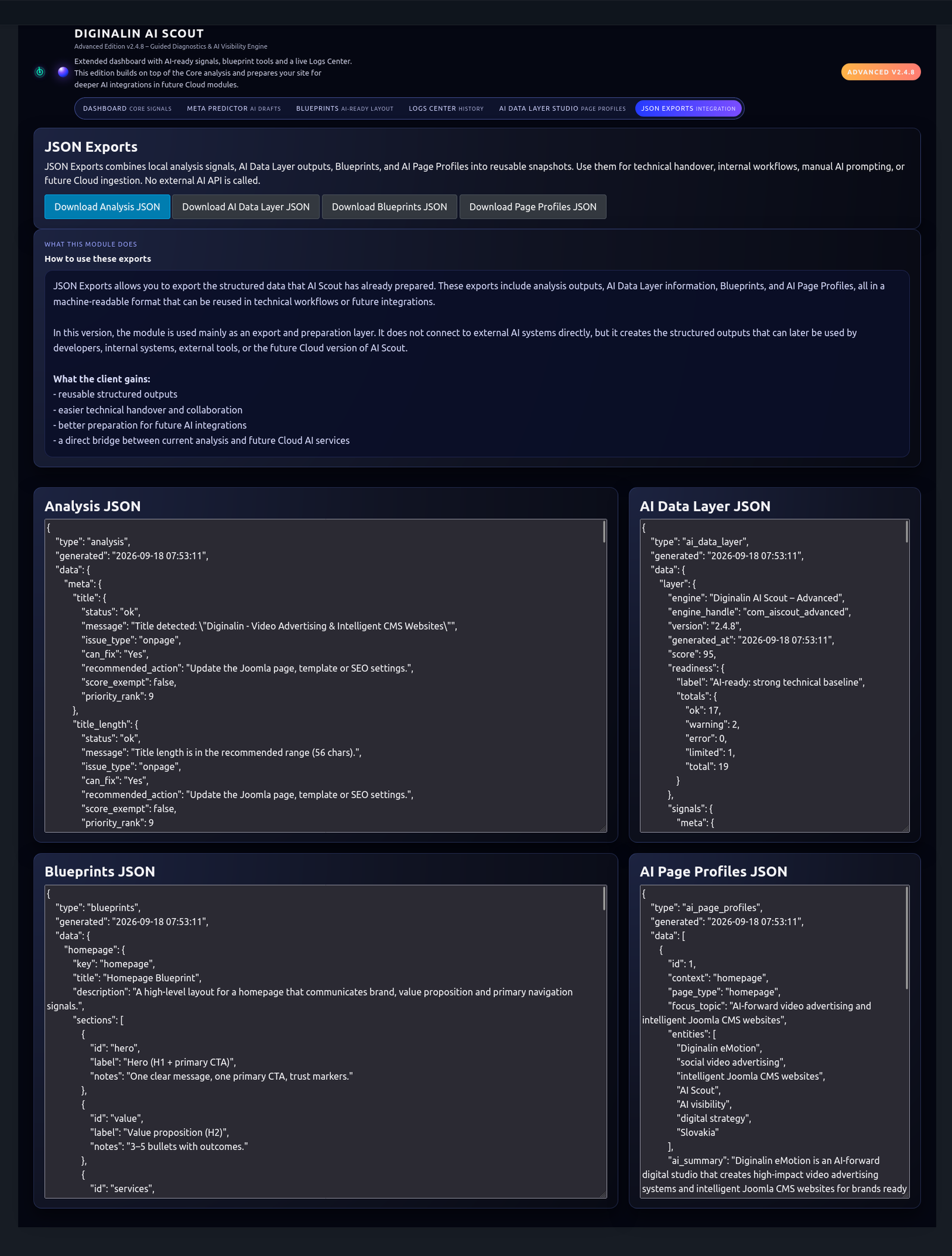
Use JSON export
when structured data is needed.
Where available in the installed edition, structured JSON output can be used for inspection, development workflows and future integrations. Treat the export as a machine-readable representation of the AI Scout profile, not as a replacement for the Joomla page itself.
Do not fix everything
just because it is measurable.
Prioritise changes that make the page more accurate, more coherent and easier to interpret. The objective is alignment between the business meaning, human-facing content and machine-readable signals.
- Fix missing critical signals first.
- Resolve conflicts between the page title, H1 and actual content.
- Clarify the primary topic before adding more keywords.
- Strengthen relevant entity context instead of mechanically repeating names.
- Keep factual accuracy and natural language more important than the score.
Make controlled changes.
Then analyse again.
Change the Joomla content deliberately, save the page, then reopen or reload the AI Scout Dashboard. Compare the new result with the previous state and confirm that the page became clearer rather than simply different.
Before
Record the original score, weak signals, topics and entities that need attention.
After
Check whether the intended improvement is reflected in the new analysis without creating new ambiguity.
Use evolving features
with the correct expectations.
Meta Predictor, Blueprints, Logs Center and JSON API may be displayed as Preview depending on the installed AI Scout release. Preview means the architecture is visible and evolving, not that every planned professional workflow is final.
Start with the simplest checks.
| Problem | What to check first |
|---|---|
| Analysis looks outdated | Save the Joomla page, then reopen or reload the AI Scout Dashboard. |
| Title or description warning | Check the actual Joomla page metadata and confirm the intended wording. |
| Heading warning | Check whether the page has a clear H1 and logical supporting headings. |
| Topics do not match the page | Review whether the content mixes several unrelated subjects. |
| Important entity is missing | Check whether the page clearly names and explains the entity in context. |
| Preview function is incomplete | Confirm the installed AI Scout version and whether that area is marked Preview. |
One page. One purpose.
One controlled improvement cycle.
- Define what the page is supposed to communicate.
- Run AI Scout before editing.
- Review the score and core signals.
- Check Page Profile, Focus Topic and Entities where available.
- Prioritise the most meaningful weaknesses.
- Edit the Joomla content.
- Reopen or reload the Dashboard to generate the updated analysis.
- Confirm that clarity improved for both humans and machines.
ANALYSE. UNDERSTAND. IMPROVE.
Return to the technical overview, or go back to the AI Scout product page.
BE AMONG THE FIRST.
Submit your Joomla website for assessment and request access to the controlled AI Scout Early Access programme.
REQUEST EARLY ACCESS